
Origin
In June, Anchit ran a proof of concept on the live tenant of a 400-person ticketing company on Microsoft Entra. Like most teams their size, they offboarded people by disabling them in Entra and working through a checklist. Nobody thought of it as a gap, because the checklist always got finished.
The first report we ran flagged a Slack account that matched nobody in Entra. It belonged to someone who still worked there. They had 2 Slack accounts, and the company was paying for both.
The same report found accounts on misspelled versions of the company's domain, and 2 personal Gmail addresses inside the workspace. None of them matched a person in Entra by email, so none of them were on anyone's list.
When that employee leaves, the team will disable them in Entra and close the Slack account Entra knows about. The second one will stay, because nothing ties it to them.
Talking about their customer portal, one of their engineers put the stakes plainly:
"It's not a licensing thing, it's a security thing."
While that person works there, the second account costs a seat. The day they leave, it's a way back in.
Offboarding works from a list: everything this person has. We've written about how much of that list is outside SSO and about the orphaned accounts an audit turns up. This is the step before both. The list is only as good as the match behind it. That match is account correlation: tying every local account in every app to the person or system it belongs to. And most apps don't know people by the name your identity provider uses.
Every app has its own name for you
Take Jane, a backend engineer. Your IdP knows her as jane.smith@company.com. HR knows her as employee 4127. Her apps know her as something else.
On GitHub she's a username she picked in 2019, on a personal account she brought to the organization. In AWS she's an IAM user called jsmith2, because jsmith was taken. In MongoDB Atlas, database users are a separate list from the people who log into the Atlas console (MongoDB), and hers is jsmith_ro. In Salesforce production her username is probably her email, and in every sandbox it has a suffix, because usernames must be unique across every Salesforce org in the world.
The database and IAM users matter most here. They usually don't pass through your IdP at all, so no amount of email matching will find them.
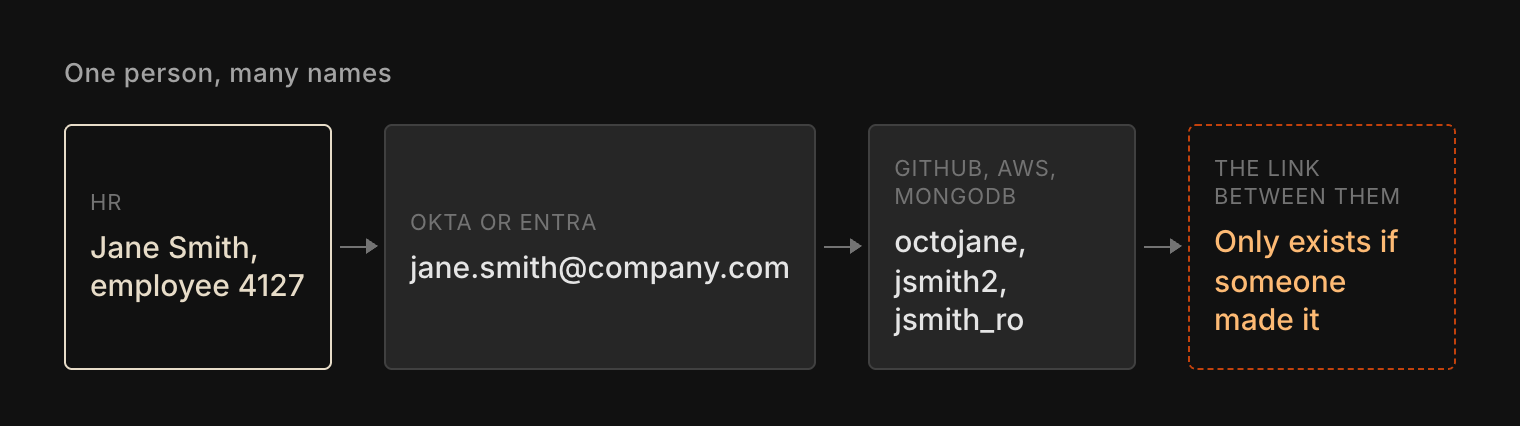
None of those names is wrong. Each app needed an identifier, and the corporate email was never a requirement. SSO links some of them at sign-in, for the apps that use it. For everything else, the link between Jane and jsmith2 lives in someone's head, or in a spreadsheet that was right the day it was made.
Some accounts aren't anyone's
The pipeline's IAM user, the app's database login and the shared admin account belong to a system or a team. They're service accounts, even when nobody calls them that. They need an owner, not a person. We've written about the keys themselves. The point here is who they get tied to.
Link one of them to Jane and her offboarding becomes an outage. Leave it unlinked and nobody owns it when the person who made it leaves. Both mistakes come from the same missing step: nobody decided, account by account, whether this one belongs to a person or to a system.
A match on email isn't a match
The usual shortcut is to match on email, and it fails in the same places every time. People change their names, and their email with it. Accounts get made with an alias, a personal address or a typo of your domain, like the ones in the ticketing company's first report. Contractors were never in HR. And some apps store only a username.
Each of those is an account that matches nobody. In an access review it looks like noise. At offboarding it's invisible, because the checklist works person by person, and these accounts don't belong to a person on paper.
The worst case runs the other way. A rehire gets their old email back, and email matching hands them every account it can find under that address, including the ones that should have closed the first time they left.
Match once, then never guess again
Start by matching every account in every app to a person once, on something that doesn't change: the employee ID, or the IdP's immutable ID. Do it per app, at the moment you start governing that app. Anything you can't match gets an owner and a date, and every system account gets an owner instead of a person.
Then stop creating accounts that need matching. If an account is created through a process that already knows who it's for, the link can be recorded at creation. Then the only accounts left to match are the ones created outside the process, and those are exactly the ones you want to see.
That's how we built it in Iden. When an app is first synced, Iden's AI mapping works out which person each local account most likely belongs to, and you can make or change any match yourself. It's a first pass. A name like jsmith2 is easy. A shared admin login isn't anyone's, and that call stays with you. After that, every account Iden provisions is created with the link already in place, so jsmith2 is Jane from the day it exists.
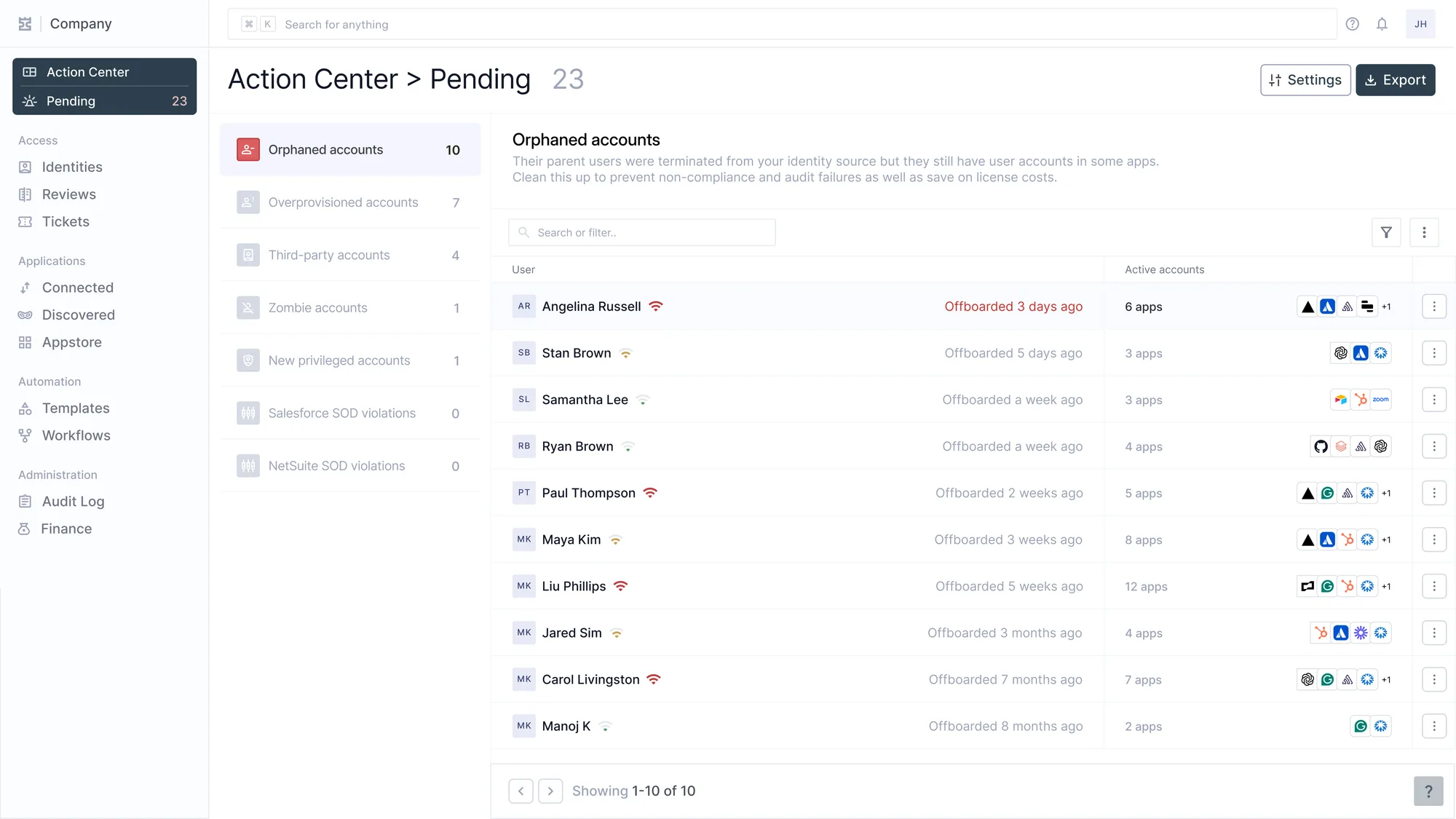
Matching doesn't make anyone leave cleanly by itself. It makes the list complete, which is what every deprovisioning step after it depends on. Our offboarding playbook covers those steps.
The ticketing company's second Slack account didn't show up because someone looked for it. It showed up because it was the one account nobody could match.
The checks
- Pick 3 apps that use local usernames, such as GitHub, AWS and your main database. Export their users and try to match each one to a current employee. Count how many you can't.
- GitHub Enterprise Cloud with SAML: the GraphQL
externalIdentitiesconnection on your organization's SAML identity provider lists each member's linked identity, 100 per page (GitHub Docs). A member with none isn't tied to anyone in your IdP. With Enterprise Managed Users, GitHub accounts come from your IdP and this problem goes away. - AWS:
aws iam list-userslists IAM users by name. Tag each with an owner (aws iam tag-user) so the name stops needing a memory. - MongoDB Atlas: database users are managed per project under Database Access, separately from Atlas console users. Match each one to an owner.
- Salesforce: usernames are email-shaped but don't have to be real addresses, and sandboxes add a suffix. Match on the user record's Federation ID where it's set, not the username.
- Match on the employee ID or the IdP's immutable ID (the Entra object ID or the Okta user ID), and keep a list of known aliases and old names. When someone is rehired, check their old accounts by hand before anything reuses them.
- Search each app for accounts on lookalike domains and on personal email domains.
- Give every service and shared account an owner, never a person's identity, and rotate its credentials when that owner leaves.
- Monthly: export each app's active users, match them, and give every unmatched account an owner and a due date. A dated copy is also SOC 2 evidence for access removal (CC6.2 and CC6.3).
We'd sync 3 of your apps and show you every account we can't match to a person. No deck. Just the product.