SCIM is not a limit on what a governance tool can reach. It is a pricing tier. Treating the two as the same thing is how 80% of a typical stack ends up ungoverned by a tool the company is already paying for.
The new hire's first morning. SSO logs them into the 8 apps that support SCIM. The other thirty-two land in the access request queue. By Wednesday they have most of them. The dashboarding tool finance uses takes until Friday because the admin panel doesn't honor SCIM and someone has to enable it by hand. The ticket lives in Slack. The screenshot lives in someone's downloads folder. The audit trail lives nowhere.
This is what governance looks like in the parts of the stack that nobody designed to be governed. Apps on standard plans that gate provisioning behind enterprise tiers. Internal admin tools that grew up before SCIM existed. Legacy systems someone in finance set up a decade ago. The new SaaS marketing signed up for last quarter that nobody told IT about. SCIM covers somewhere around 20% of the average company's app stack. The other 80% is where IT spends most of its real time. Our SCIM Tax Index is the open dataset underneath that number: 300+ SaaS vendors and the tier each gates SCIM behind.
This is how to govern it.
What the SCIM tax is
Apps like Notion, Linear, and Asana charge five to ten times more for the enterprise plan that includes SCIM provisioning. The standard plan is what your team is using. The enterprise plan is what their pricing page wants you to upgrade to.
The reason this matters: SCIM is the protocol most identity tools use to automate user lifecycle (create, update, deactivate) inside an app. If the app doesn't expose a SCIM endpoint at your current plan tier, the identity tool can't run that lifecycle. The choices are to pay the upgrade, to provision and deprovision manually, or to leave the app ungoverned and hope nothing goes wrong.
For a 200-person company with 15 apps that gate SCIM, the upgrade math typically lands somewhere north of $200,000 a year. The actual SCIM functionality on most of those apps is the same as what their standard-plan API or admin endpoint already supports. You're paying for the SCIM label, not the underlying capability.
Iden calls this the SCIM tax. It's a vendor pricing strategy, not a technical necessity. The way to avoid it isn't to upgrade. It's to provision through the channels the app already exposes at your current plan: the API, the admin endpoint, the admin console. Same actions, same audit trail. No upgrade required.
The SCIM Tax Index is the open dataset behind this: 300+ SaaS vendors, the tier they gate SCIM behind, the price delta between standard and enterprise. CC-BY.
Across the average company between fifty and two thousand employees, SSO and SCIM together cover about 20% of the app stack. The remaining 80% is some combination of:
- SaaS apps on standard plans, gated by the SCIM tax
- Apps with no SCIM endpoint at any plan tier
- Internal admin panels and homegrown systems
- Legacy systems set up by someone who left years ago
- On-prem databases, data warehouses, cloud admin consoles
- Service accounts, API keys, AI agents, and other non-human identities
Modern identity governance vendors (Lumos, ConductorOne, Zluri, BetterCloud) all advertise coverage of "the modern SaaS stack." When you read the integration list closely, they mean coverage of the SCIM-supported subset of the modern SaaS stack. The 20%. The 80% gets a Jira-ticket integration, which is to say, no integration.
The math doesn't work. You can't run an identity program where four out of every 5 apps are ungoverned. Either close the gap or stop calling it governance.
Three ways to reach a non-SCIM app
There's no single technique. There are three, and most stacks end up using all three, which is why coverage is a ladder rather than a yes or no.
Which path provisions this app?
Does the app expose SCIM, on the plan you already pay for?
      |
      +-- yes ------------------------------> SCIM
      |
      +-- no
           |
           +-- usable API?  ------- yes ----> API LAYER
           |
           +-- admin UI only? ----- yes ----> UI-DRIVEN AUTOMATION
           |
+-- neither ---------------------> CUSTOM CONNECTOR1The API layer
Most apps without SCIM still have an API. Many have a richer API than their SCIM endpoint would expose. The API knows how to create users, assign permissions, transfer ownership, deactivate accounts. The identity tool calls those endpoints directly, using whatever auth model the app supports (OAuth, API key, admin token).
This covers a meaningful share of the long tail. Custom Salesforce profiles, GitHub fine-grained repository access, Snowflake role assignments, ServiceNow user records, Workday HCM mutations. None of these are SCIM. All of them have APIs that do the same job at the same granularity.
2The console automation layer
Some apps don't expose an API for user management. Or the API exists but doesn't cover what you need to do. Common in legacy SaaS that didn't grow up cloud-first, and in admin panels for internal systems. For these, the console layer of Iden's custom automation framework drives the admin interface the way an admin would: log in as an admin service account, navigate to the user management page, perform the action, capture the result.
This is more fragile than API-based integration. Vendors change their UIs. Iden's connectors detect breakage and self-heal where possible, ship updates within hours where they can't. Where console automation is the right tool, it works.
3The custom connector layer
Some apps don't fit either of the first two. Internal admin tools that grew up before APIs were a thing. A LIMS that holds data the FDA cares about and has its own bespoke permissions model. A mainframe terminal that nobody on the IT team wants to touch.
For these, Iden ships a custom connector built specifically for the system. Two-day delivery, maintained indefinitely. Our team builds it, our team maintains it, our team updates it when the upstream changes.
Most custom connectors land in 48 hours. Some take a week if the upstream API documentation is wrong (it sometimes is) or the auth flow needs negotiation with the vendor. The work is open at the contract level. If you depend on the app, we build the connector. If we built it, we maintain it. You don't.
What's out of scope: physical access systems and operational technology environments where regulatory or safety considerations require a different model. We'll tell you when we hit that line. Otherwise, the answer is yes.
The 48-hour number is real because connector work is the company's main competency. The teams that build SCIM endpoints inside SaaS vendors are building one thing once. The team that ships connectors at Iden is building hundreds, all on the same toolchain. Repetition makes the work fast. There's no other secret.
Patterns that break in non-SCIM territory
A few common failure modes worth knowing.
-
The half-built SCIM endpoint. An app advertises SCIM support. The endpoint exists. What you find when you connect: SCIM only reads group memberships and creates users, but doesn't expose per-permission grants, doesn't honor deprovisioning, or has a thirty-minute lag. SCIM is a label that means different things to different vendors. Test the specific capabilities you need before relying on the marketing claim.
-
The standard-plan workaround. A shared admin login. One person enables and disables users by hand. The credentials are in a password manager that some people on the team have access to. The audit trail is whatever Slack remembers. This is the most common configuration in companies under 500 employees, and the most dangerous.
-
The Jira ticket disguised as an integration. Some IGA tools claim non-SCIM coverage and what they do is open a ticket in your ticketing tool, which a human on the IT team then handles. This counts as automation in the brochure but not in the work. Read the integration docs to see whether the actions execute in the target app or get handed back to IT.
-
The connector that depends on the admin who left. A custom connector was built on a Saturday 2 years ago by an engineer who's since moved on. Nobody on the current team knows how it works. It breaks during a vendor upgrade and stays broken because the documentation is in a private GitHub repo nobody has access to. Same failure mode as the manual checklist, just less visible until it breaks.
Doing this without a tool
You can cover a surprising amount of the long tail with scripts. The reason most teams stop isn't that it doesn't work, it's maintenance.
- Inventory the stack and mark each app with its actual provisioning path: SCIM at your current tier, API, console only, or nothing. Don't take the vendor's word on the first one, test it.
- Write the SCIM tax column next to it. What the enterprise upgrade would cost per app, per year. That column is the business case, and it's usually the first time anyone has added it up.
- Script the API tier first. These are the highest-value, lowest-maintenance wins, and a script per app is genuinely fine at 10 to 15 apps.
- For console-only apps, write the runbook and name an owner. Not a shared login. A named admin, with the steps recorded.
- Log every action to one place, even if that place is an append-only sheet. Your auditor needs a contemporaneous record, not an elegant one.
- Re-test the scripts after every vendor release. This is the step that ends the experiment, and it's why the honest cost of a homegrown layer isn't the writing, it's the Tuesday six months later when 3 of them fail quietly.
The inventory and the price column are worth building regardless. They tell you the size of the gap and the cost of leaving it, and neither answer depends on what you buy.
What ends most homegrown layers isn't the writing. It's that scripts fail quietly. A connector that broke during a vendor release keeps reporting success for a quarter, and nobody finds out until an audit asks.
What still needs a person
Three layers cover most of a long tail. They do not cover all of it, and pretending otherwise is how coverage claims stop meaning anything.
An application with no admin interface at all, only a database somebody edits by hand, has nothing to drive. A vendor whose terms forbid automated access is a contract problem before it is a technical one. And an admin console behind hardware MFA needs a human at the moment of the change. Those apps stay on a named owner with the action recorded, which is worse than automation and much better than a spreadsheet that claims it was done.
Where Iden fits
The ladder above, resolved per app, at one price.
SCIM where the app has it on the plan you already pay for. An API where it doesn't. Console automation where there's no API worth using. A custom connector where none of that applies, delivered in 2 days and maintained after that by us rather than by you.
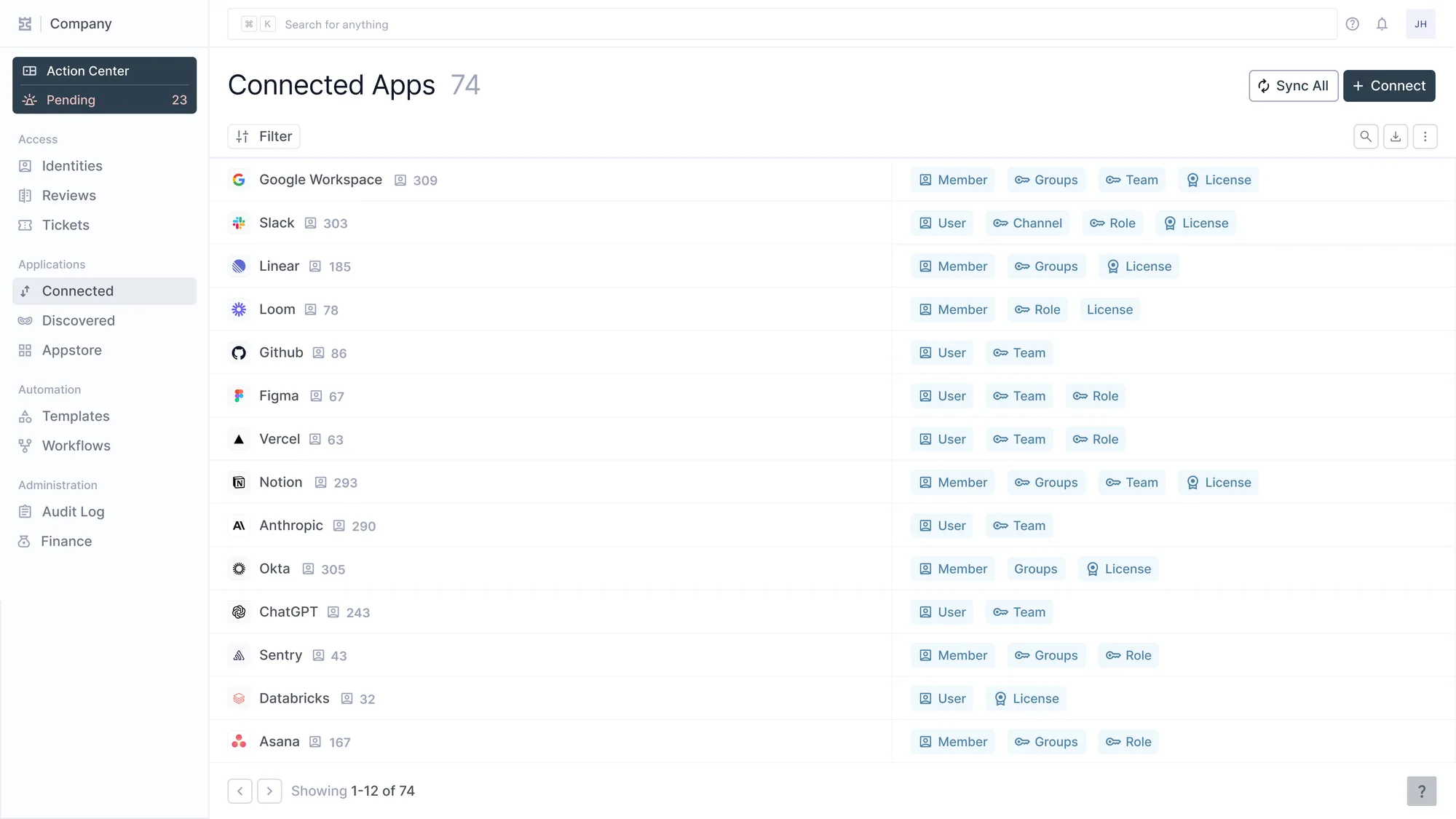
Über 200 Konnektoren. SCIM, wo die Applikation es anbietet, eine API, wo nicht, und ein individueller Konnektor, wo es beides nicht gibt.
The pricing is the argument, not a footnote to it. Every connector costs the same, which means the apps that make governance hard cost the same as the ones that make it easy. Those are the apps where the risk actually lives, so charging more for them would be exactly backwards.
The 80% other tools wave away is the work that decides whether identity governance is real or theater. That's the work this layer does.