Deprovisioning is the removal of a person's access when they leave or no longer need it, across every system where that access exists, together with the record that proves the removal happened. It is a broader thing than switching off a login. The difference between the two is where most offboarding programs quietly fail.
The word gets used loosely, and the looseness hides the problem. When someone says a departed employee was deprovisioned, they usually mean the account was disabled in the identity provider, which stops single sign-on and nothing else. It does not stop that person signing into an application that kept its own local account. It does not stop a token they generated six months earlier. It does not stop the reporting tool that finance bookmarked and that never went through SSO in the first place.
HR marks the departure
        |
        v
[ SSO account disabled ]  ---- stops ---->  federated logins to the SSO apps
        |
        |  does NOT reach
        +---->  local logins in apps outside SSO
        +---->  API tokens and personal access tokens the person created
        +---->  sessions already open, refresh tokens still valid
        +---->  files, calendars, dashboards, service accounts they owned
        +---->  the apps on a standard plan with no SCIM

deprovisioning = all of the above, closed in one run, with a record of eachWhat does deprovisioning actually cover?
A complete deprovisioning event touches five things. A process that handles the first and skips the rest is disabling an account, not deprovisioning a person.
1Accounts
Every account the person held is disabled or deleted according to policy. That includes the local accounts that live inside an application rather than in the directory, the accounts in tools that never had SSO, and the guest accounts in other companies' tenants that were created for a project.
2Entitlements
The specific permissions underneath those accounts are removed as well: the channels, repositories, admin roles, shared drives and group memberships that accumulated over a tenure. An account that is disabled but still a member of forty groups will carry those groups back with it if it is ever re-enabled.
3Sessions and tokens
Active sessions are ended, refresh tokens are invalidated, and personal access tokens and API keys are revoked. An account can be disabled while a token it issued keeps working for as long as the token was valid, which for some systems is forever. The vendors document this themselves. Microsoft's emergency access revocation procedure is a sequence of separate steps, covering the account, its refresh tokens, its devices and its registered multi-factor methods. Each step exists because disabling the user does not reach the credentials that user already minted.
4Owned data and jobs
The files, calendars, dashboards, scheduled jobs and service accounts the person owned are transferred to a successor or archived. Ownership that is not transferred becomes the orphaned nightly job that finance finds two months later.
5The record
A timestamped record of each action, mapped to the trigger that started it, is written as a by-product of the run and can be exported for an audit. A record assembled afterwards from memory is a reconstruction, and an auditor can tell.
Why does deprovisioning fail in practice?
Two failures account for nearly all of it, and they compound.
Coverage
SSO and SCIM together automate provisioning and deprovisioning for the applications that support the standard, and in a typical mid-market stack that is a minority of the applications in use. Everything else, the standard-plan SaaS, the internal tools and the legacy system somebody set up years ago, falls back to a checklist that a person runs by hand. The checklist is where accounts get missed, because the checklist was written from memory and the stack has grown since.
Long story short, I forgot to remove an ex-employee from our AWS account and for one whole year, he still had access to all our servers and that scared me as hell.
Timing
Even when the checklist is complete it tends to run late. HR marks the departure, IT reaches it during the next ticket sweep, and the person keeps their access in the gap between the two. For a routine resignation that gap is a formality. For a contentious exit it is the risk itself. The person on the other side of the gap notices it too:
For example, when I left [then startup, now publicly traded] in Nov 2013, it took them 15+ months until they turned off my Github access.. in the meantime, I had access to all the private repositories. (Yes, I notified them multiple times.)
What changes when an app has no SCIM?
For an application with SCIM on the plan the company already pays for, deprovisioning is one step: disable the person in the directory and the application deactivates the account. For everything else there is no automatic path from the directory, and a second path has to exist.
| Application type | How the account is closed | Who does it | Typical lag |
|---|---|---|---|
| SCIM on the current plan | The directory deactivates it | The identity provider, automatically | Minutes |
| SCIM gated behind a higher tier | Through the application's own API, or by hand | A governance tool over the API, or a person from a list | Minutes, or days |
| API but no SCIM | Through the application's API | A governance tool | Minutes |
| Admin console only | Automation that drives the console the way an administrator would, or by hand | A custom connector, or a person | Minutes, or weeks |
| Internal tool with its own user table | A script, a database change or a person | Whoever built it | Often never |
The gap between the first row and the rest is where almost every orphaned account comes from. The four rows below the first are not variations on one problem. Each one closes accounts through a different mechanism, and each one fails in a different way.
The one-step case
An application with SCIM on the current plan is the only case where the directory is the whole story. The identity provider sends a PATCH that sets the user to inactive, the application honours it, and the account changes state without anyone opening the product. The mechanism is also the reason this row is small: it exists only where the vendor implemented the protocol and exposed it on the tier the company holds.
The API case
Applications with a REST API and no SCIM can be closed just as reliably, but the calls are specific to each vendor. Deactivation may be a DELETE on a member resource, a PATCH that flips a status field, or a seat removal that leaves the profile intact. Two details decide whether the row is safe. The first is whether the endpoint revokes existing tokens or only blocks new logins. The second is whether the API sits on the same plan as SCIM, which for several popular tools it does not. That difference is what makes this row worth building rather than escalating.
The console-only case
Some applications expose no write API at all, so the only way in is the administrative interface a person would use. Automation that drives that interface closes the account in minutes and keeps the record, and it breaks when the vendor redesigns the page. The alternative is a line on a checklist, which is where lag stops being measured in minutes and starts being measured in weeks.
The internal-tool case
Internally built tools keep their own user table, and no external mechanism reaches it. The person who wrote the tool is usually the only one who knows how to close an account inside it. That person's name is rarely on the offboarding checklist. This row is the one most often marked as complete without anyone touching it, because nobody remembers the tool exists until it appears in an audit sample.
What does good deprovisioning look like?
One trigger, usually a status change in the HR system, starts the whole sequence, and the sequence runs the same way every time.
- The HR system records a termination date, and the leaver workflow fires on that date, or on the hour if the exit is immediate.
- The identity provider account is disabled and every active session is revoked.
- Every connected application, with or without SCIM, disables or deletes the person's account and removes their entitlements.
- Personal access tokens, API keys and OAuth grants the person created are revoked, and service accounts they owned are reassigned.
- Files, calendars, dashboards and scheduled jobs transfer to the named successor.
- Licences freed by the closures are reclaimed.
- The record of every step, with a timestamp and the trigger, is written and exportable.
Why one trigger beats a checklist
Nobody works a ticket, and nobody has to remember the application that is easy to forget. The design point is that the sequence has a single source of truth, so the number of applications it covers can grow without the process changing. A checklist has the opposite property. Every application added to the stack adds a line somebody has to read under time pressure. The line is written by whoever bought the tool, and that is rarely the person who ends up running the checklist. A founder of a four-person company put the underlying principle simply:
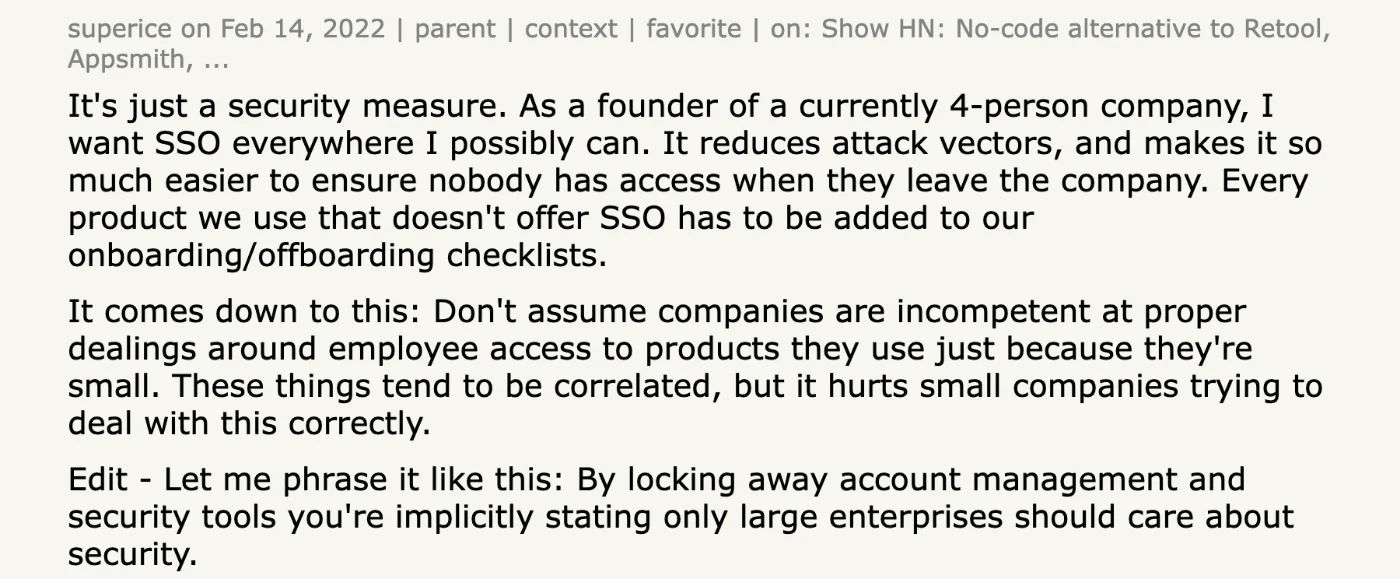
As a founder of a currently 4-person company, I want SSO everywhere I possibly can. It reduces attack vectors, and makes it so much easier to ensure nobody has access when they leave the company. Every product we use that doesn't offer SSO has to be added to our onboarding/offboarding checklists.
The mirror rule
The cheapest correction available to a team still running this by hand costs nothing to adopt and closes most of the gap. Every grant recorded during onboarding gets a matching revocation step written at the same time, by the same person, while the reason for the grant is still fresh. The rule works because it moves the remembering to the moment when someone is already thinking about the application, rather than to a Friday afternoon months later. It was put the same way in a Hacker News thread on leaving a job well: whenever something is added to the onboarding checklist, add it to the offboarding checklist as well.
Offboarding in Iden is one workflow, fired by the HR system. It disables accounts, removes entitlements, revokes tokens and transfers ownership across every connected application in a single run, over SCIM where the application has it and over its API or admin console where it does not. The Workflows screen shows the offboarding runs grouped with onboarding and transfers, and which applications each one touches. The feature behind it is Offboarding you can prove, not just tick.
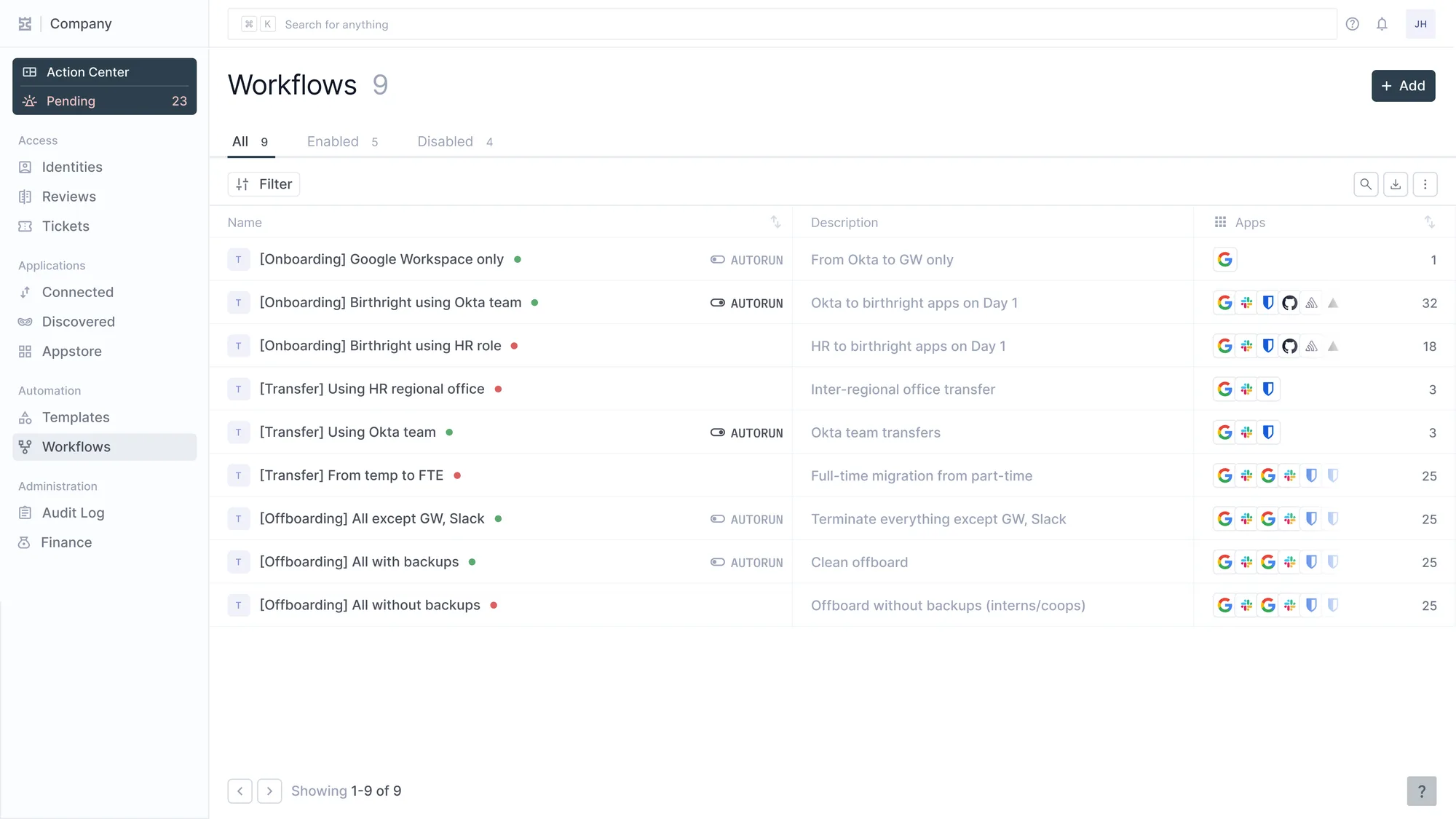
Nine workflows in three families. The Apps column is the part to read: birthright onboarding touches 32 apps, a regional transfer touches 3.
How is deprovisioning measured?
Three numbers say whether the process works, and all three come from the systems rather than from the runbook.
| Measure | What it shows | What good looks like |
|---|---|---|
| Time from termination to last account closed | The risk window per leaver, across every application | Under an hour for immediate exits, same day for planned ones |
| Accounts found open after offboarding | Coverage misses, discovered by reconciliation | Zero in the SCIM applications, and trending to zero everywhere else |
| Share of applications on an automated path | How much of the stack a person still has to remember | Above 90 percent, including the applications without SCIM |
Where each number comes from
The first number is measured per leaver and per application, not per leaver. A company that closes the directory account in four minutes and the last console-only account in nine days has a risk window of nine days. Reporting the average of the two hides exactly the tail that matters. The second number requires a reconciliation the offboarding process cannot produce itself, because a run can only report what it attempted. Pulling each application's own account list and comparing it against the leaver roster is what turns a coverage miss into a finding the team can act on. The third number is the leading indicator of the other two, and it is the only one that can be improved before a departure rather than after.
The Monday test
The test is simple to state and hard to pass. When someone leaves on a Friday, the organization should be able to show by Monday that every account they held is closed, without anyone opening an admin panel to check. If the answer depends on a person remembering, deprovisioning is still manual, whatever the tooling around it says.